






Product
Supported accommodation management software
What TIFA Connect does, in three parts, with screens from the demonstration workspace. TIFA Next, the young person app, works alongside it.
Operate
Young people, staff and the rota
Records, daily logs, staff and the rota, with a dashboard that shows what needs doing now.
Every young person’s record, and what needs doing today
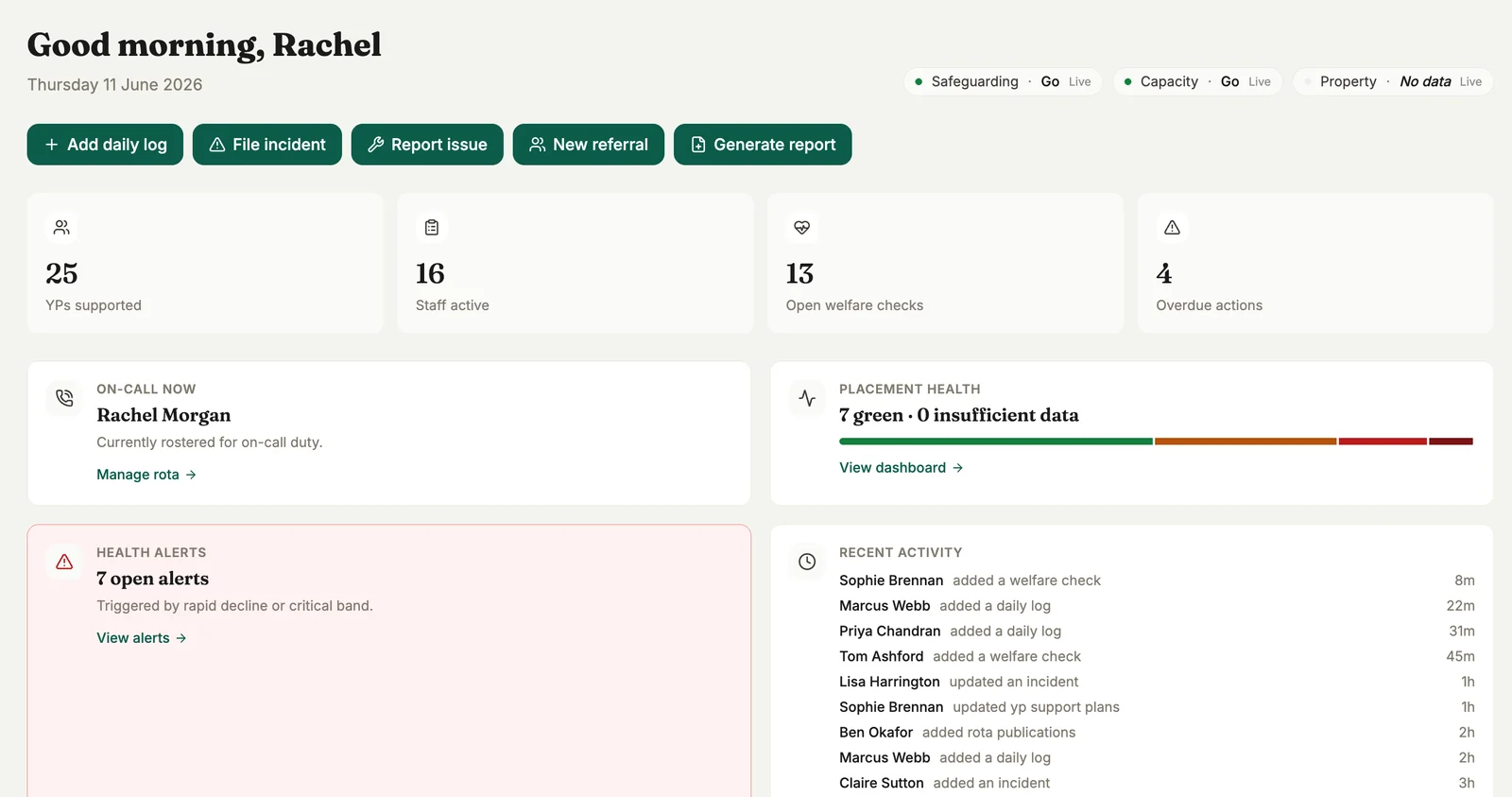
Each young person has one record: placement, key worker, commissioning authority, support plan, goals, risk and health. Staff add daily logs, welfare checks and incidents from the dashboard, and managers see open alerts, overdue actions and who is on call.
- Quick actions for daily logs, incidents, referrals and reports
- A daily view of which young people have a log
- Status for safeguarding, capacity and property at the top of the dashboard
- Time-limited access for agency staff, limited to their shift and young people
A weekly score for every placement
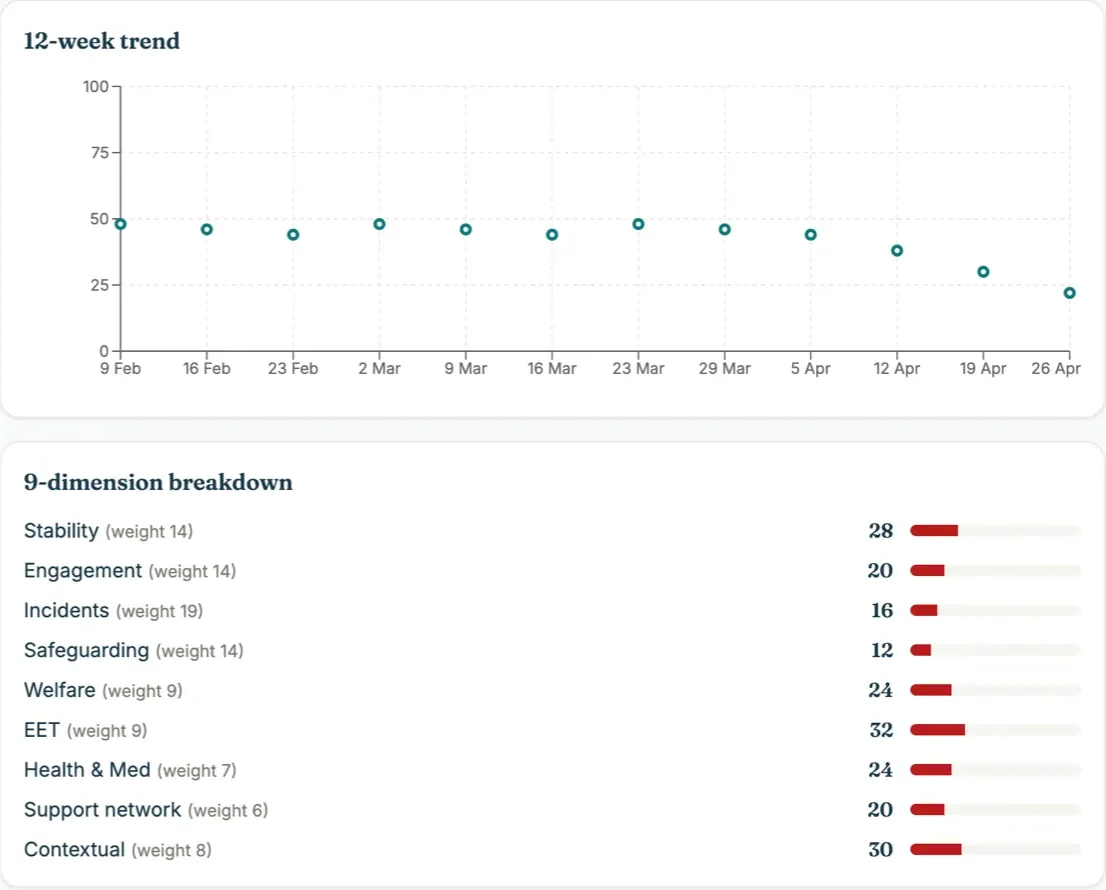
Each placement is scored out of 100 every week from nine weighted measures: stability, engagement, incidents, safeguarding, welfare, education and work, health and medication, support network and context. Placements fall into Critical, Red, Amber or Green, with a trend and a note of how complete the data is, so managers know where to look first.
Rota, staff records and recruitment in one place
- A weekly rota for each property, with day shifts and sleep-ins
- On-call rota and on-call log, leave, clock events, expenses and mileage
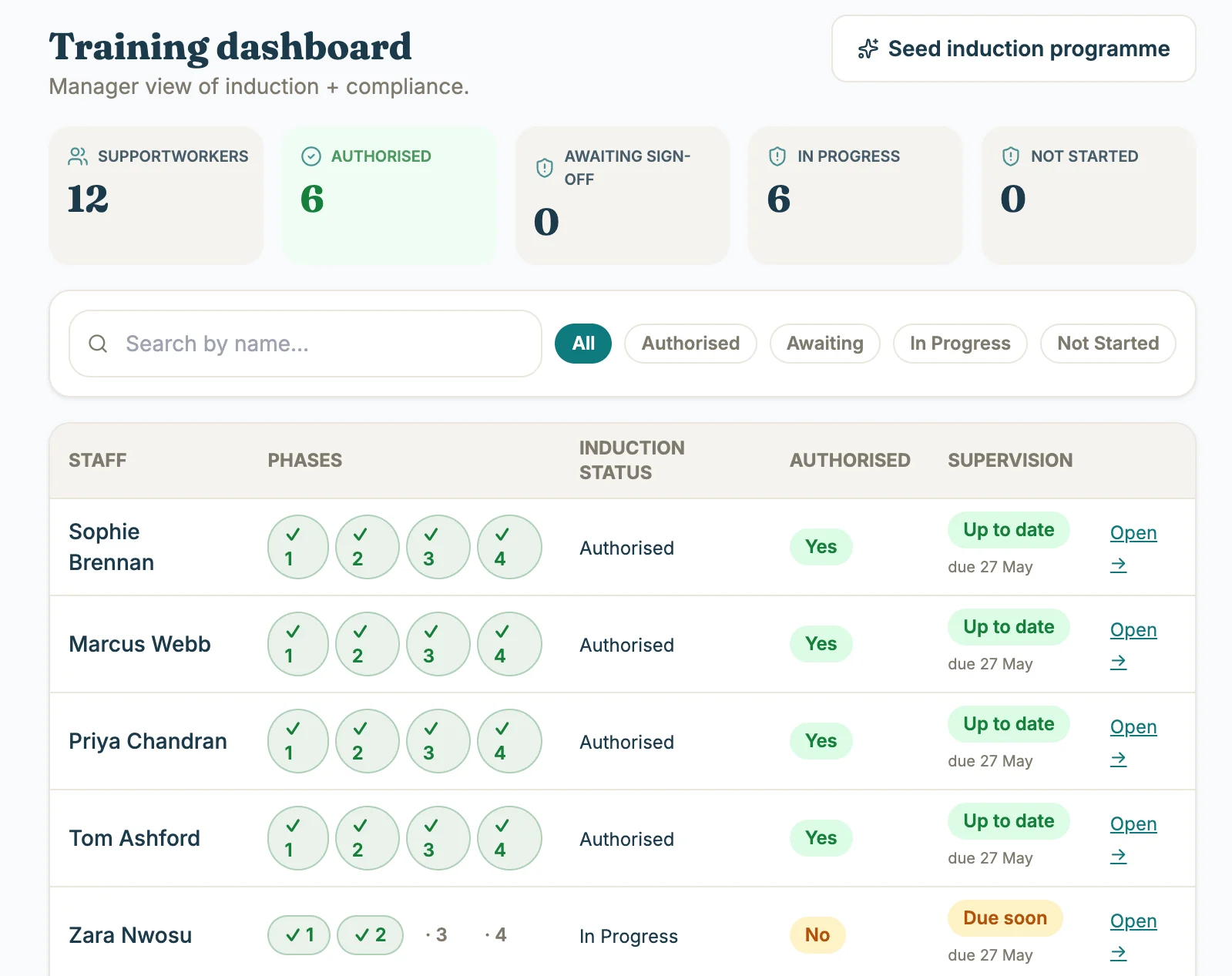
- Staff records: supervisions, absence, wellbeing and policy sign-off
- Induction in four phases, with training and supervision due dates
- A seven-stage recruitment pipeline with DBS, right to work, references and contract tracked
- Hiring creates the staff record, account and induction plan in one step
Grow
Local authority work
Your work with local authorities, kept in one record instead of individual inboxes.
A record for every local authority
Each authority has its own record: tier, region, frameworks, contacts, payment terms, relationship health and the next action. Emails from your Microsoft 365 mailbox are filed against the right authority and sorted by type, such as referral, fee query, placement update or tender, with a one-line summary.
- Tenders and activities tracked against each authority
- Referrals logged against the authority they came from
- Outlook connected through Microsoft 365
Emails sorted by type
- Referral
- Fee query
- Placement update
- Praise
- Tender
- General
Each email is tagged with its type and tone, flagged if it needs action, and summarised in one line on the authority’s record.
Control
Governance, reporting and finance
Produced from the records your team already keeps.
Recurring processes, each with an owner
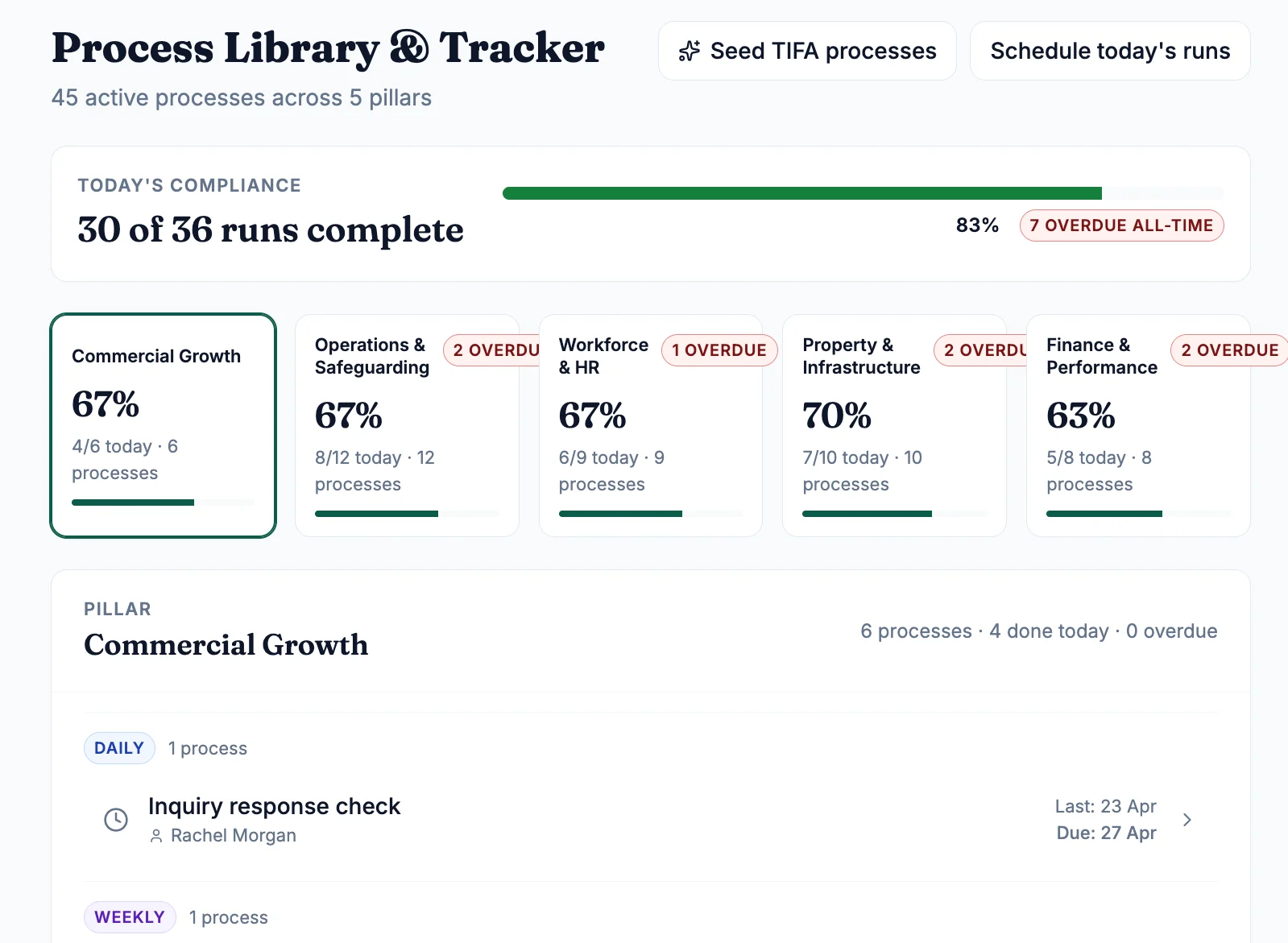
The Process Library holds the service’s recurring processes across five areas: commercial growth, operations and safeguarding, workforce and HR, property and infrastructure, and finance and performance. Each process has an owner, a schedule and a due date. Some close only when the record behind them is complete, so they cannot be ticked off by hand. Managers see what is done, due and overdue. Policies, audits and evidence sit alongside it.
Commissioner reports drafted from the record
Each authority gets its own report template. TIFA Connect drafts the report from the month’s records, every statement links back to its source, and a person reviews and approves it before it is sent.
- A template for each authority
- Statements linked to the records behind them
- Nothing is sent without approval
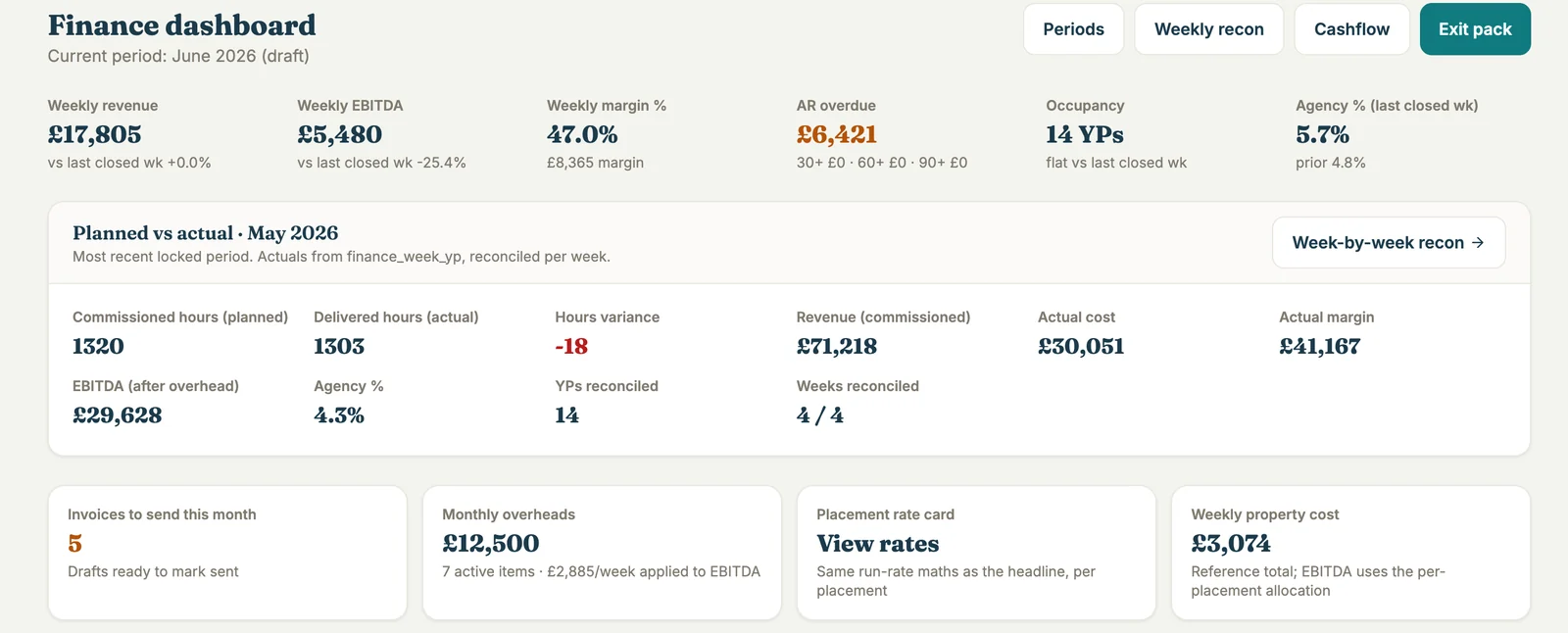
Income, cost and margin for every placement and property
- Weekly revenue, margin, aged debt, occupancy and agency use
- Commissioned hours checked against delivered hours each week
- Invoices to each authority, with a line for each young person
- Rates for each young person, with every change dated
- Profit and loss for each property, including staff cost, voids and shared overheads
TIFA Next
The app for young people and councils
TIFA Next is sold alongside TIFA Connect or on its own. The young person uses it on their phone. Their support worker and the council’s personal adviser each have their own login, and the pathway review pack is generated from what happens in the app.
AI and your data
What AI does, and where your data lives
AI sorts local authority email by type and pulls the details out of referrals, working on text with personal details removed. It does not accept placements, make safeguarding decisions or send anything to a local authority. TIFA Connect runs on UK and EU-West infrastructure, your data stays yours, and you can export it when you leave.
With Michael Border, founder
Book a demo
Thirty minutes on one workflow you want to fix: reporting, rota, governance or placement finance. You will see it in TIFA Connect and get a straight answer on fit, price and how long it takes to go live.